
Download Design Space Cut Machine – Graphic Design Tool, T-Shirt Maker, SVG Editor, iPhone App, Design Utility
Overview
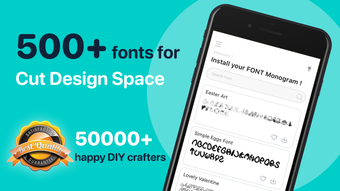
Design Space Cut Machine is a desktop and mobile graphic design application designed to simplify the creation and editing of custom visuals, particularly for apparel and digital artwork. The software enables users to upload, modify, and finalize designs with ease, making it a practical solution for both casual creators and professional designers. Its primary function revolves around graphic editing, with a strong focus on SVG image manipulation and personalized t-shirt design creation. The app is optimized for use on iPhone and supports a drag-and-drop interface, allowing for intuitive design workflows without the need for advanced technical skills.
Target users include hobbyists, small business owners, and creative professionals who require a streamlined tool for producing custom graphics. The software supports real-time editing of images, text, and visual effects, making it suitable for projects ranging from promotional materials to personalized clothing designs. It also features a built-in search function to locate assets quickly, enhancing workflow efficiency. The developer has positioned the app as a versatile utility for on-the-go design, emphasizing accessibility across mobile devices.
While the developer’s background was not specified, the app’s focus on design accessibility and cross-device functionality suggests a user-centric development approach. The software operates under a subscription model, offering a 3-day trial period to evaluate functionality before committing to payment. The app integrates with Apple’s ecosystem, ensuring seamless performance on iOS devices.
Key Features & Capabilities
- Drag-and-Drop Interface – Allows users to upload and rearrange design elements intuitively, reducing the learning curve for beginners.
- SVG Image Import and Editing – Supports vector graphics for high-quality, scalable designs, ideal for intricate artwork and precise cutting projects.
- T-Shirt Design Maker – Enables users to create custom apparel graphics with layout tools, fabric preview options, and print-ready outputs.
- Text and Font Customization – Offers tools to modify fonts, colors, sizes, and text alignment for professional-looking typography.
- Photo Editing with Filters and Effects – Includes basic enhancement tools to adjust images, apply visual effects, and integrate them into designs.
- Asset Search Functionality – Helps users locate templates, icons, or graphics quickly, improving design efficiency.
- Multi-Device Access – Available on iPhone and compatible tablets, allowing users to design from various locations.
These features collectively support a flexible workflow for users who need to create and refine visual content rapidly. For instance, a small business owner can use the app to design a promotional t-shirt, import an SVG logo, apply a filter to a product photo, and finalize the layout—all within a single session. Similarly, a hobbyist can experiment with text effects and custom fonts to produce unique digital art. The integration of vector editing and apparel design tools makes the software particularly effective for users engaged in crafting, merchandising, or digital branding.
User Interface, Workflow & Performance
The user interface of Design Space Cut Machine is structured around simplicity and accessibility, featuring a clean layout with clearly labeled tools and a central canvas area. Navigation is achieved through a bottom menu bar and context-sensitive tool panels, enabling users to switch between functions like image editing, text input, and effects application with minimal effort. The drag-and-drop functionality streamlines the process of assembling design components, reducing the need for complex menu navigation.
Workflow efficiency is enhanced by the app’s responsive design, which adapts to touch input and maintains smooth interactions during editing sessions. Users can quickly select, resize, rotate, and layer elements, with real-time visual feedback. However, exact performance details were not specified by the developer, and no information was provided regarding CPU or RAM usage during operation. General software behavior patterns suggest stable performance under typical usage, but specific benchmarks are unavailable.
Stability during extended design sessions was not confirmed in available documentation. The developer did not provide additional system requirements or resource usage details. As such, performance observations are based on general software behavior patterns and user expectations for mobile design tools.
Compatibility & System Requirements
Design Space Cut Machine is available for iPhone and compatible tablets, indicating support for Apple’s iOS operating system. The software is designed to run on mobile devices with modern hardware, though exact system requirements were not listed. Installation size and version details were not specified in the provided information.
Compatibility with older iOS versions or other platforms such as Windows or Mac was not confirmed. The developer did not provide details on hardware specifications, including minimum processor speed, RAM, or storage space. Platform compatibility information is limited to iOS devices, and no information was given about desktop integration or cloud synchronization across devices.
Users should verify device compatibility through the Apple App Store before installation. The app is distributed via Apple’s ecosystem, meaning it is only available through official channels.
Pros and Cons
Pros
- Intuitive drag-and-drop interface suitable for beginners and professionals
- Supports SVG image editing for scalable, high-quality designs
- Includes a dedicated T-shirt design maker for apparel customization
- Offers text customization, filters, and photo editing tools
- Accessible on iPhone and compatible tablets for on-the-go use
- Provides a 3-day trial period to test features before subscribing
Cons
- Not available for Windows or Mac desktop systems
- Exact system requirements and performance data were not provided
- Subscription-based model with automatic renewal
- Limited to Apple’s ecosystem; no cross-platform syncing details
- No information on offline functionality or cloud backup features
FAQ Section
Is Design Space Cut Machine available for Windows or Mac?
Based on the provided information, the software is only available for iPhone and compatible tablets. There is no confirmation of support for Windows or Mac operating systems.
Can I use Design Space Cut Machine offline?
Information about offline functionality was not specified. The app may require an internet connection for certain features, especially those involving cloud-based assets or subscription verification.
How do I cancel my subscription?
Subscriptions automatically renew unless turned off at least 24 hours before the end of the current billing period. Cancellation must be managed through the Apple App Store settings on the device.
What types of files can I import?
The app supports SVG image import, allowing users to work with vector graphics. Additional file formats were not specified in the provided details.
Is the software secure?
As the app is distributed through the Apple App Store and operates within Apple’s ecosystem, it benefits from standard platform-level security measures. However, specific security protocols or data handling practices were not detailed.
Final Thoughts + CTA
Design Space Cut Machine stands out as a capable graphic design tool tailored for users who prioritize ease of use, mobile access, and apparel-specific design features. Its support for SVG editing, t-shirt design creation, and intuitive interface makes it a strong choice for hobbyists and small business owners looking to produce custom visuals without a steep learning curve. While the lack of desktop support and limited system information may restrict broader appeal, its focus on iOS devices ensures a polished, device-optimized experience.
For those invested in Apple’s ecosystem and seeking a reliable, all-in-one design utility for t-shirts and digital graphics, Design Space Cut Machine offers a compelling set of tools. The 3-day trial allows users to assess its value before committing to a subscription.
Download Design Space Cut Machine now







